Create Multiple Desktops In Windows 7
You must know Linux and Mac provides virtual desktop system for us, It gives you a chance to create multiple desktops to arrange different applications into various groups, like person group, game group, office group etc and you can place them on different desktops. But why does not Windows 7 provide the virtual desktops? Or we can say all Windows Operations System do not offer the virtual desktops system.
Windows 7 doesn"t have the inherent ability to take advantage of multiple desktops. But, thanks to Sondle Software and the
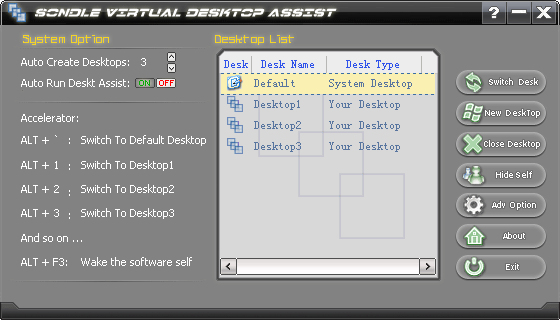
Virtual Desktop Assist software which can help you to create multiple desktops in Windows 7. With Virtual Desktop Assist you have ability to create multiple desktops and you can switch from one desktop to another. The software is safe and stable, it is simple to install, and it is simple to use.
With Virtual Desktop Assist you can create more than ten desktops, and there is no limit on the number of desktops which just limited by system resource. You can switch desktop by hot-key or "Swtich Desktop" button, it"s so easy to improve organization of your work.
Follow me to create multiple desktops in windows 7:
1. download Virtual Desktop Assist software from
here, open "My Computer" or search on the desktop, locate the downloaded file then double-click on it to start the installation process.
2. Follow the on-screen instructions to install the software. After finished the installation, the install program will automatically run the
Virtual Desktop Assist.
3. There are three virtual desktop be created automatically as soon as the
Virtual Desktop Assist begin to run. At this time you own four desktops and you can create more by yourself.