Recover Deleted Files From SD Card
1. What Is SD Card?
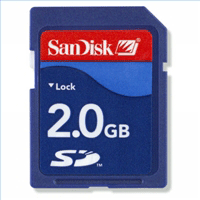
The full name of SD card is Secure Digital, It"s a non-volatile memory card format developed by Matsushita, SanDisk, and Toshiba for use in portable devices. Today it is commonly used in digital cameras, mobile phones, PDAs, handheld computers and GPS receivers. The other formats of SD cards are SDHC, microSD and miniSD cards. Various devices support one of the SD card formats.
2. Lost Files On Sd Card
SD card is safe, but it don"t have any answers to logical crashes, which could be accidental deletion of files(you delete files not carefully), corruption with the file system that manages the data on the flash drive, and many other reasons, which may help to a logical crash.
3. Recover Deleted Files From SD Card
When you delete a file on hard disk, it will into the Recycle Bin, So you can found it from the Recycle Bin, and recover it. But if you delete not carefully an important file on SD card, how get it back? Oh, My God, It is not in the Recycle Bin! Don"t worry, you still have some chances to get it back. At the time you can use
data recovery software to get your deleted files back. Follow below steps you can find these files.
step1. Download a
data recovery software from internet, then install the software into your computer.
step2. Insert or connect your SD card where the lost file is located into the computer. Found the drive letter of the SD card under "My Computer".
step3. Run the
data recovery software and select Partition of the SD card.
step4. Click "Next" button, then the
data recovery software start to scan the SD card to find deleted files which can be recover!
step5. At the end of the process of the scanning, you can see all deleted files in "deleted files tree", and you can preview these files before recover them.
step6. Selected any files which you want to recover and click "Next" button, and wait some minutes, you can recover your deleted files from the SD card.